
Introduction
I must admit, I never use a GUI for Cisco gear. I am a CLI guru but it can be useful to have and is preferable for others. The issue I was having though was simple. I could not get it to work! This however was on Windows, when I tried on Linux it worked. Weird.Configuration Required
The config needed for using the ASDM is not hugely complex. An example is shown below:http server enable 444 http 172.20.0.0 255.255.255.0 inside asdm image disk0:/asdm-743.binEnable the http server on the port specified, allow on the inside interface from the specified internal network plus include the image for the ASDM software. Easy, so why was I getting this generic error?
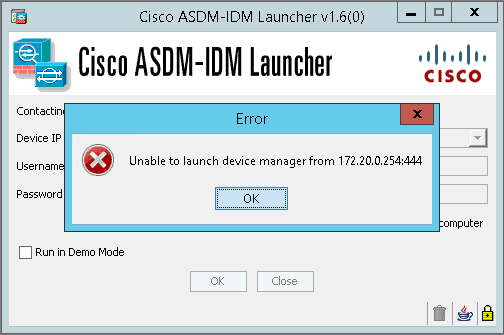
Fix
It turned out to be the following issue for me. I had only allowed one particular encryption cipher.ssl server-version tlsv1-only ssl encryption aes256-sha1All I needed to add was another cipher
ssl encryption aes256-sha1 aes128-sha1Once added, ASDM worked like a charm. Thanks to PeteNetLive for his helpful source post. http://www.petenetlive.com/KB/Article/0000915.htm
Leave a comment
Your email address will not be published. Comments are moderated before appearing. We retain your IP address for up to 90 days for moderation, then remove it.